![MasterLogo_DarkGreenZag_NoBackground.png]](https://my.zigzag.global/hs-fs/hubfs/MasterLogo_DarkGreenZag_NoBackground.png?height=30&name=MasterLogo_DarkGreenZag_NoBackground.png)
You can easily create orders for your customers while approving an Exchange request. The orders that you create on behalf of your customers are named draft orders. Draft orders are available if Shopify returns integration toggle is OFF in the app (navigate to Return Portal Settings >> Returns Policy page to find it).
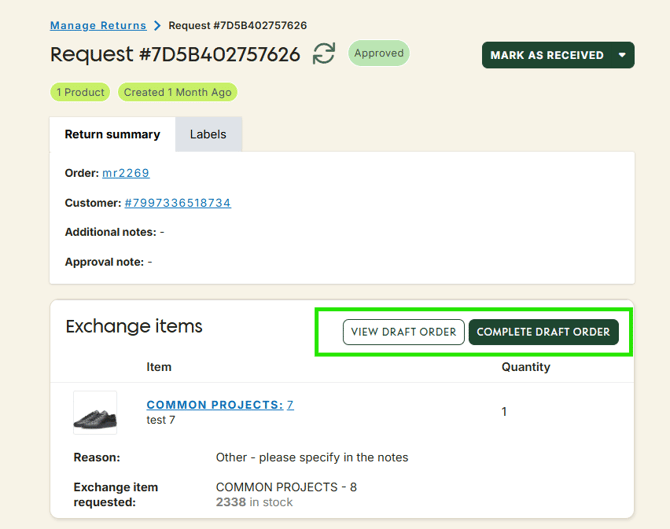
After approving an Exchange order, you should see an option to create a Draft order.

Once you click on Create draft order, all you have to do is view the details for the exchange order and complete it.