![MasterLogo_DarkGreenZag_NoBackground.png]](https://my.zigzag.global/hs-fs/hubfs/MasterLogo_DarkGreenZag_NoBackground.png?height=30&name=MasterLogo_DarkGreenZag_NoBackground.png)
The new Return Request page in the ZZRE app simplifies and streamlines refund management. With a more intuitive interface, the process becomes clearer and smoother. Below, we'll walk through an example of how refunds are processed in the app. Please note that full app-in refunds are available only for Gold + plan users.
Example Scenario
Consider an order with two items:
- Blue shirt (M)
- Red dress (L)
Both products have been fulfilled and are now part of the return process. 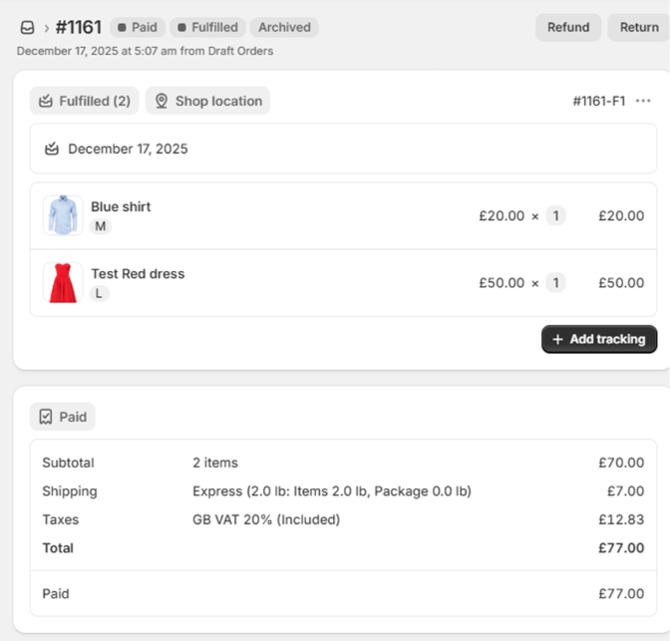
Let's assume the customer has requested a return for the Red dress (to be refunded) and an exchange for the Blue shirt (to a different variant). The exchange item is priced £10 less than the returned Blue shirt. Upon submitting the return request, the respective return is created in the app. 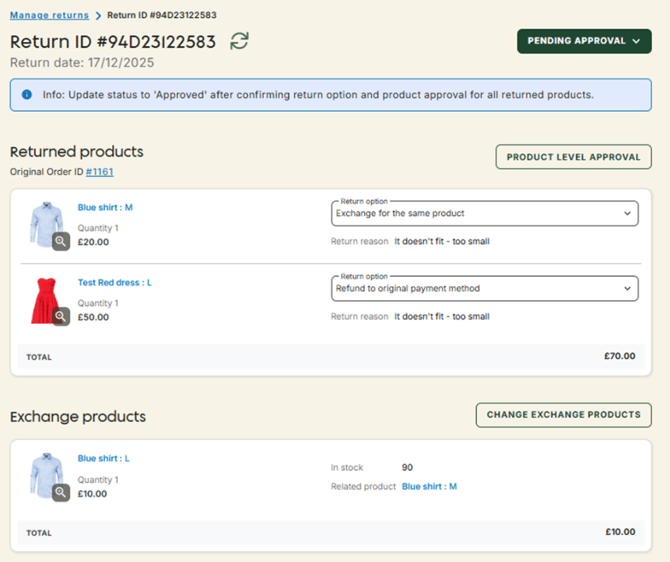
Step 1: Approve the Return
Before proceeding with the refund and restock process, the return must be approved. Once the return is approved, a return label will be generated and sent to the end customer. The customer can use this label to return the items.
Step 2: Change Return State to "Received"
Once the returned items are physically received at the destination warehouse, the return state can be updated to "Received". This unlocks the refund flow, where you can proceed with the next steps.
Step 3: Select Quantities for Restocking and Refund
The first action is selecting the quantities of products that need to be restocked and refunded. By default, the quantities will match the number of return products. However, you can modify these quantities by pressing the "Edit Restock" button.
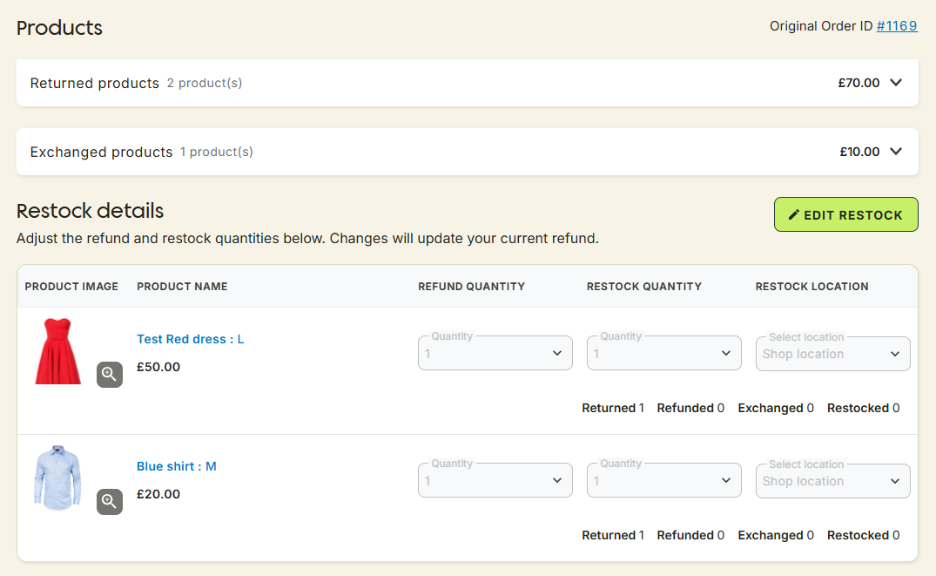
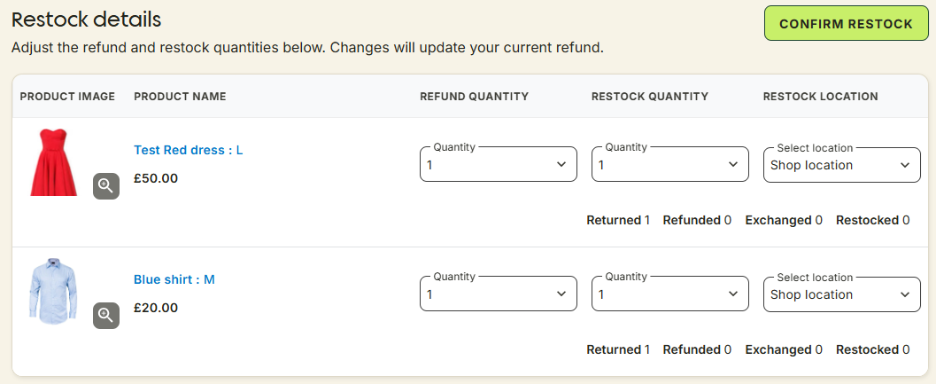
Once the restocking quantities are adjusted (if necessary), press the "Confirm Restock" button. Please note that changes here will impact the refund amount calculations. Specifically:
- Exchange requested: If an exchange is requested, the quantity in the Refund quantity column reflects the number of return products to be processed (whether exchanged or not).
- Refund only: You can process a refund/exchange without restocking by entering 0 or a reduced quantity in the Restock quantity column. However, restocking cannot happen without a refund.
Step 4: Refund Calculation
In this example, the total value of the returned products is £70 (Red dress: £20, Blue shirt: £50). The exchange item price is £10 less than the returned Blue shirt. Additionally:
- Express shipping cost is £7, which is eligible for refund by default (this amount can be waived or manually adjusted).
- Return fee is £5, which will be deducted from the refund (but can be waived if needed).
The refund is calculated as:
Total returned products (£70) - Exchange product price (£10) + Shipping fee (£7) - Return fee (£5): £50 + £20 - £10 + £7 - £5 = £62
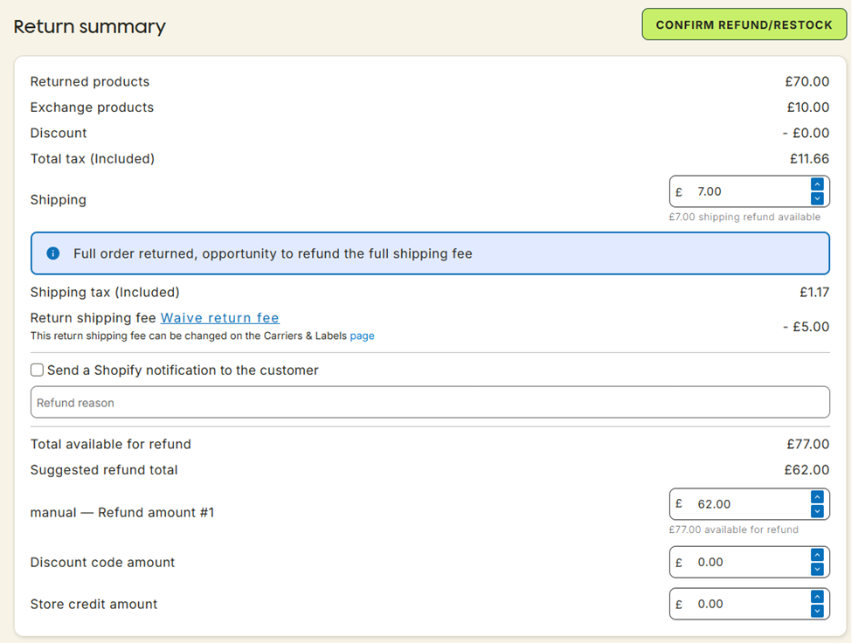
Step 5: Confirm Refund/Restock
Once the "Confirm Refund/Restock" button is pressed, the system will process the refund for the customer. The Return Summary will be updated to reflect the refund details. If necessary, manual adjustments can still be made for any remaining balance in Shopify, such as the £15 difference, which includes:
- £10 difference between the returned and exchange items.
- £5 return fee deduction in the first refund.
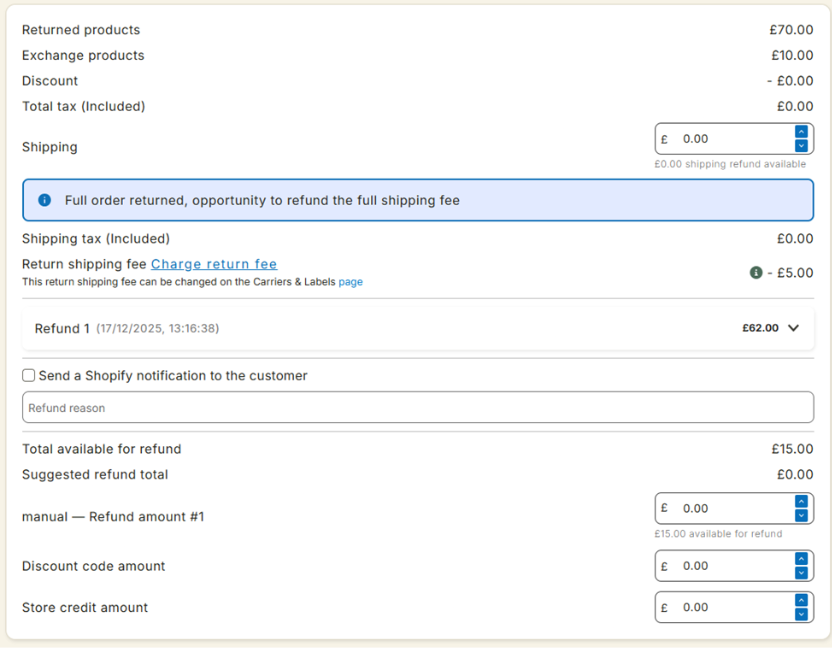
Step 6: Refund Details in the Return Summary
The Refund # line in the return summary is expandable, and you can view detailed information about the products that have been refunded or processed.
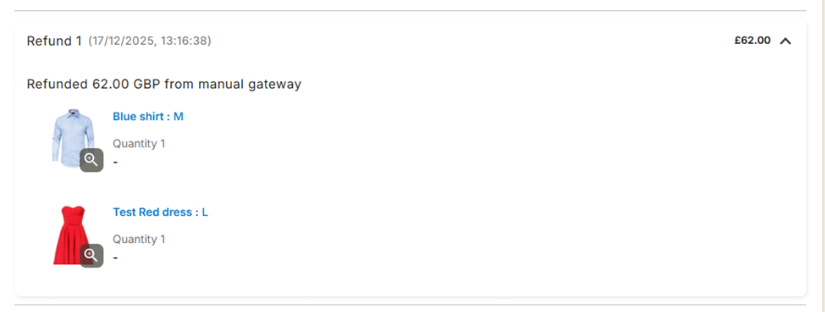
Step 7: Shopify Sync
Once the refund is processed, the app will push the updates to Shopify. The refund amount will be reflected in the Shopify order as well.
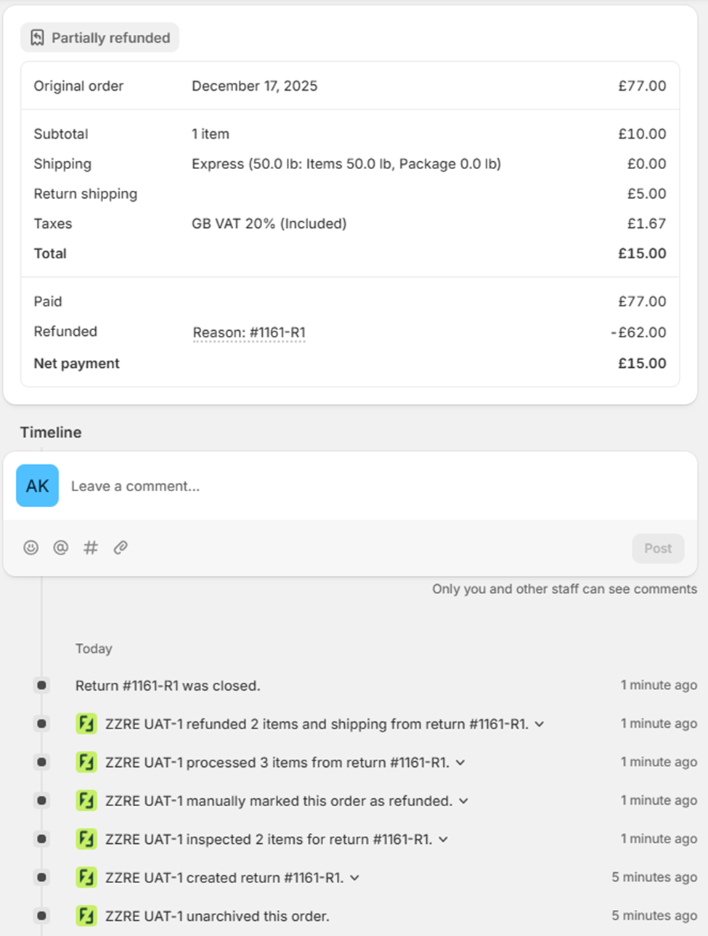
Conclusion
The ZZRE app's refund process is designed to make the returns management flow more efficient and user-friendly. By following the steps outlined in this guide, you can easily manage refunds and exchanges while ensuring that all amounts are accurately calculated and reflected in both the app and Shopify. Whether you're restocking or processing a partial refund, the app provides a seamless experience for both you and your customers.
With a streamlined workflow from return approval to refund processing, you can save time and reduce errors, ensuring a smooth returns experience.