![MasterLogo_DarkGreenZag_NoBackground.png]](https://my.zigzag.global/hs-fs/hubfs/MasterLogo_DarkGreenZag_NoBackground.png?height=30&name=MasterLogo_DarkGreenZag_NoBackground.png)
Important:
This is a one-way sync.
Changes made in ZigZag Returns & Exchanges App are synced to Shopify, but any updates made directly in Shopify (return edits, refund edits, restock actions, etc.) will not be reflected back in ZigZag Returns & Exchanges App.
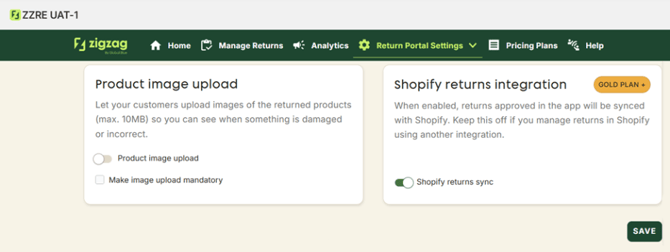
Available for: Gold plan
Location: Returns policy → Shopify returns integration → Shopify returns sync
When to Enable This Feature
Enable this feature if you want:
- returns to appear directly in Shopify
- exchange items to be added automatically to the original order
- more accurate reporting and accounting inside Shopify
If you use third-party tools or custom workflows to manage returns in Shopify, you may prefer keeping this feature disabled.
How It Works
Below is an example illustrating the sync logic end-to-end.
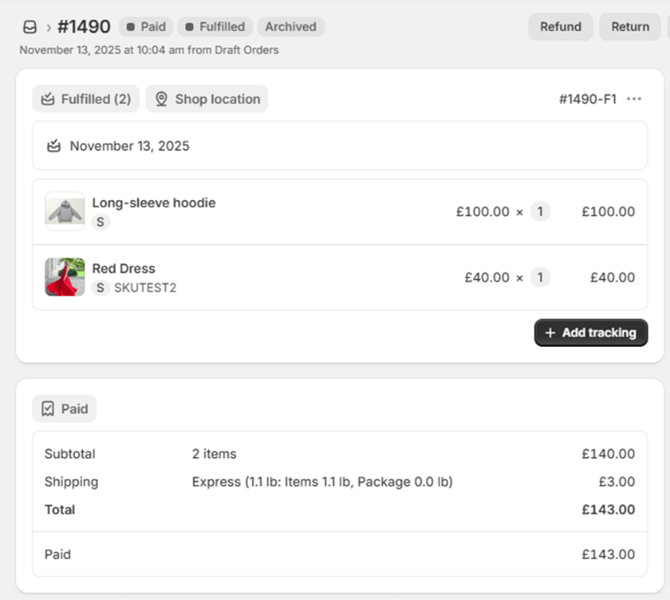
1. Original Shopify Order
Suppose the order contains:
- Long-sleeve hoodie: S — £100
- Red dress: S — £40
- Shipping — £3
Original Shopify order:
2. Customer Submits a Return inZigZag Returns & Exchanges App
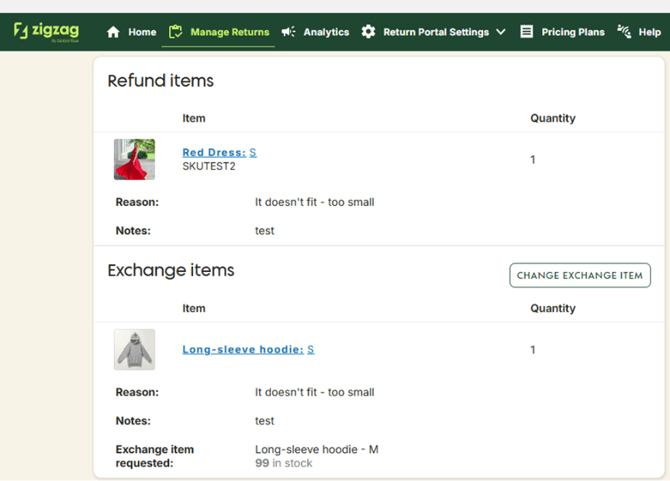
The customer requests:
- Exchange Long-sleeve hoodie: S → size M
(Price of size M is £110, which is £10 more than the returned item)
- Refund Red dress: S to the original payment method
ZigZag Returns & Exchanges App creates a return including both Refund and Exchange items.
Return created in ZigZag Returns & Exchanges App with Refund + Exchange items:
3. Approving the Return inZigZag Returns & Exchanges App
When the return is approved, partially approved or approved without label:
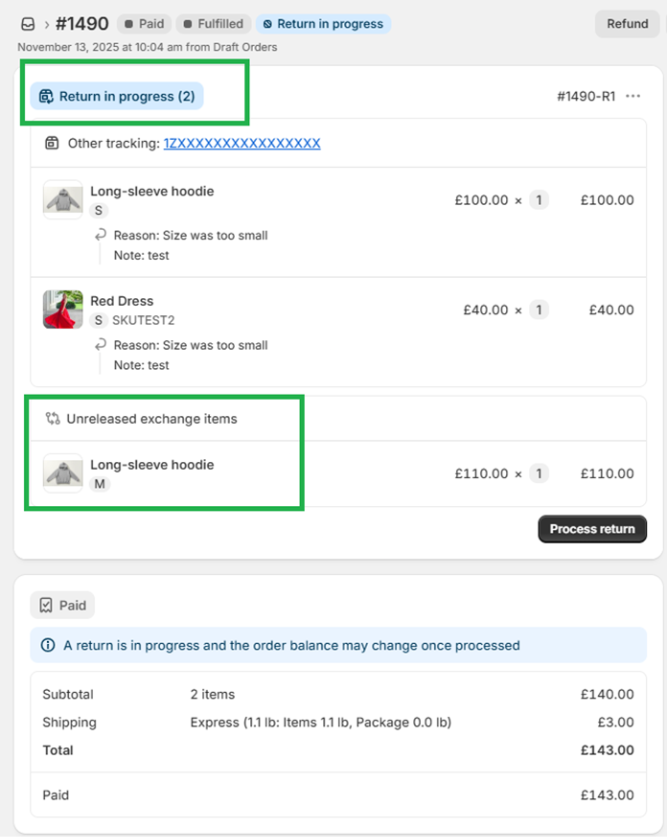
- Shopify return is created automatically:
- if no label requested - immediately
- if label is requested - after successful label generation.
- In case of partial approval only approved products added to Shopify return.
- Exchange line items are added directly to the original order.
- If specific exchange items not selected, Shopify exchange line items won't be created and exchange can't be processed within the app (order still can be created separately outside the app).
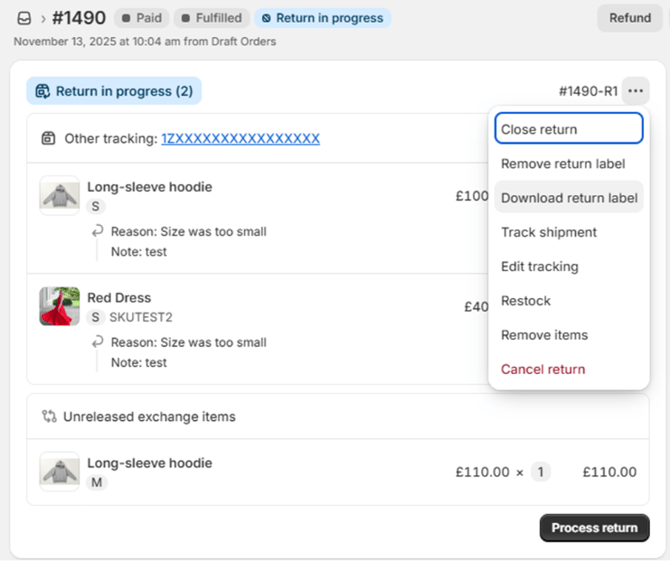
- A return tracking link and generated label are synced to Shopify.
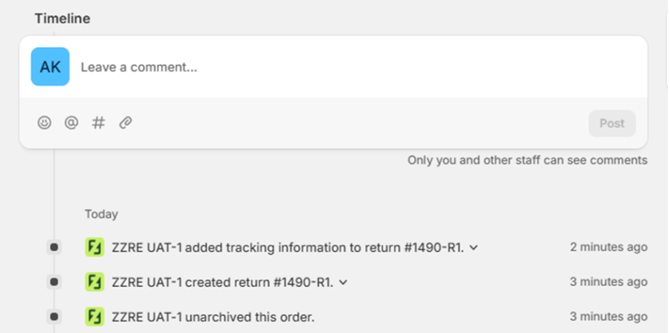
- ZigZag Returns & Exchanges App events are added to the Shopify order timeline.
Updated Shopify order with created return:
Label file and tracking link visible in Shopify:
Order timeline with ZigZag Returns & Exchanges App events:
Once the return arrives at the warehouse and is marked as Received in ZigZag Returns & Exchanges App, the Restock and Refund actions become available.
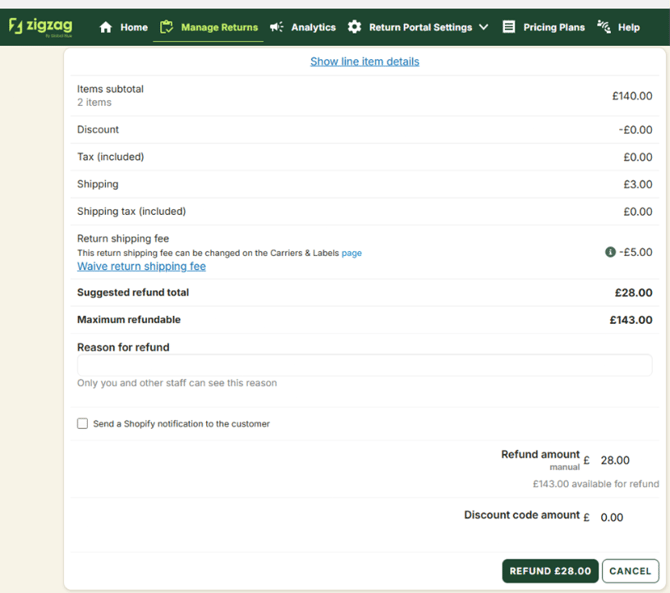
If all items in the return are processed, the refund calculation looks like this:
- Refund for Red dress: S: £40
- Refundable shipping fee: £3
- Return fee (configured in ZigZag Returns & Exchanges App): – £5
- Difference between returned and exchanged items:
£100 – £110 = – £10
Total refund:
£40 + £3 − £5 − £10 = £28
Notes:
- Shipping fee may be refunded fully, partially, or not at all.
- Return fee can be waived.
- Total refund can be edited (within the maximum allowed refund from Shopify).
Refund summary showing calculations:
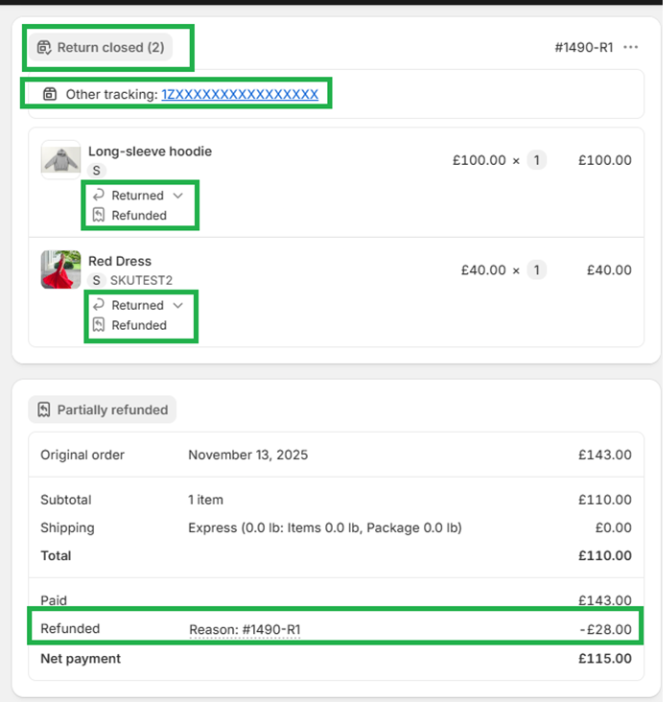
When the refund is completed:
- The Shopify return is updated to Closed.
- The refund amount and status appear on the Shopify order.
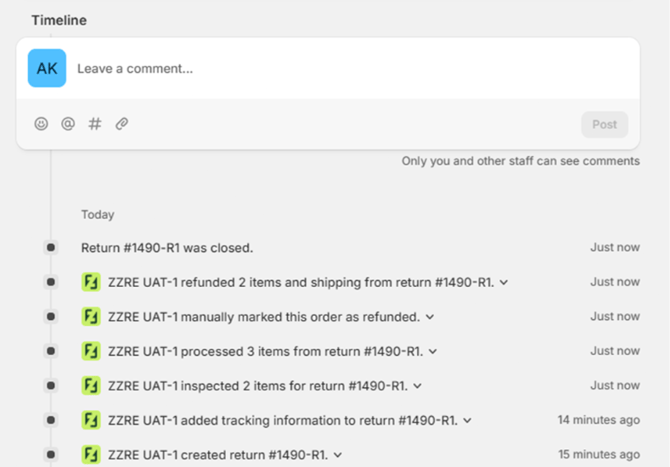
- Additional ZigZag Returns & Exchanges App refund events are added to the order timeline.
Shopify return marked Closed:
Shopify timeline with refund event:
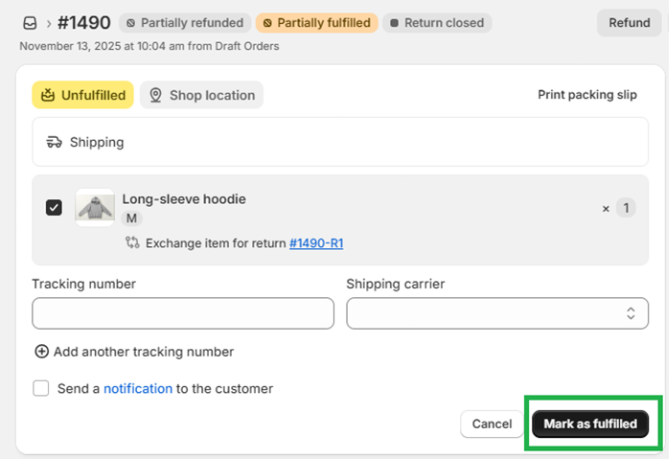
Since the exchange item is now part of the original order, there is no need to create a separate exchange order.
You can simply fulfill the added exchange line item directly from the order page.
Exchange item ready for fulfillment in Shopify:
Summary
With Shopify Returns Sync enabled:
✔ Returns approved in ZigZag Returns & Exchanges App are automatically created in Shopify
✔ Exchange items are added directly to the original order
✔ Return labels & tracking are synced
✔ Refund status and events are fully updated in Shopify
✔ Exchange fulfillment becomes seamless – no separate order needed