![MasterLogo_DarkGreenZag_NoBackground.png]](https://my.zigzag.global/hs-fs/hubfs/MasterLogo_DarkGreenZag_NoBackground.png?height=30&name=MasterLogo_DarkGreenZag_NoBackground.png)
- Open the Return Portal Settings
- Navigate to the styling page
- Locate the Enable/Disable portal restyle option
- Check the option "Use new returns portal style" as shown on the screenshot below
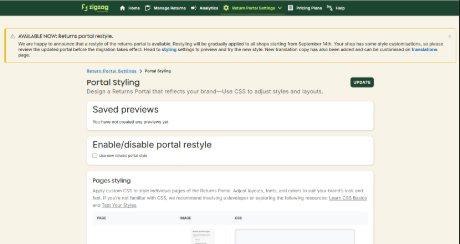
Once the option is checked, please apply the changes with "Update".